 Lipo
LipoVoice typing vs dictation vs speech to text: what's the difference?
Speech to text is the technology, dictation is the older method where you say the punctuation, and voice typing is the modern app that gives you clean text.
The short answer: speech to text is the technology that turns spoken audio into written words. Dictation means using that technology to write something, and you say the punctuation yourself. For example, you say "Please send me the report comma I need it today full stop" and the app writes "Please send me the report, I need it today." Voice typing is the newer name for speaking into any app and getting finished, correctly punctuated text. In 2026 it usually includes AI cleanup, a second step that removes filler words, adds punctuation and fixes grammar. If you're searching for a tool, "voice typing" is probably the phrase that matches what you want. Voice dictation is a fourth name you will meet, and in everyday use it means voice typing.
We build Lipo, a voice dictation app that runs on Mac. The confusion between the three terms costs people real time. They try a transcription service when they wanted a tool that types for them, or the opposite. This post explains the difference.
What is speech to text?
Speech to text (STT), also called automatic speech recognition (ASR), is the computer model that listens to audio and writes out the words. It does not care what you do with those words. The same speech to text engine can produce a call center transcript, a YouTube caption, and the text in a voice typing app. So when a product says it is "powered by speech to text," that tells you only which technology is inside, not what using it feels like.
Two things about speech to text matter to you. First, the raw output is messy: exactly what you said, including every "um", pause and mistake. A speech to text model hears "um so I think we should uh move the meeting to Thursday no wait Friday" and writes exactly that, sometimes without a single punctuation mark. Second, accuracy varies a lot by language. English has the most training data (recorded speech used to teach the model), so it gets the best results. Bangla, Tamil, Arabic dialects and most of the world's languages have less data and get worse results, unless the app does extra work to fix them.
What is dictation?
Dictation is the older word, and it keeps the older method. In classic dictation, you say the punctuation yourself. You say "Dear Mr Rahman comma new paragraph thank you for your email full stop" and the app writes "Dear Mr Rahman," then starts a new line with "Thank you for your email." Dragon NaturallySpeaking worked this way for two decades. Apple's built-in Mac dictation still works this way. Doctors and lawyers still call it dictation because that is the method they learned.
Dictation means writing a whole document out loud, and you add all the punctuation yourself. It is precise, and it is tiring. The recognition is not the problem; saying "comma" forty times in one email is.
The word "dictation" is still what many people search for when they want the free built-in feature on Mac or Windows. If that's you, it is under System Settings, then Keyboard, then Dictation. It is free, for many languages it works on your own computer with nothing sent over the internet, and it is fine for short English notes.
What is voice typing?
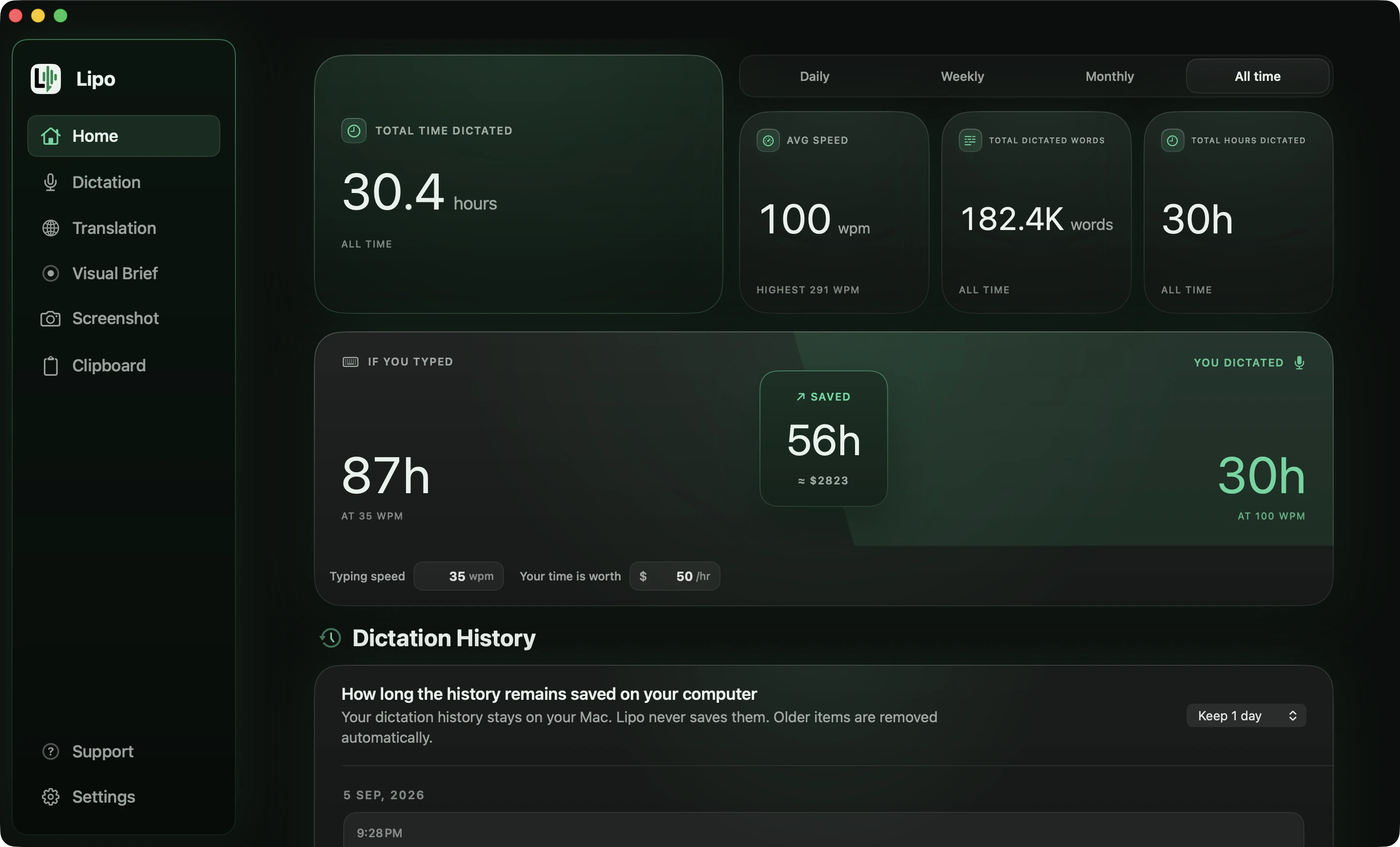
Voice typing is what most people actually want in 2026. You click where you want to type, hold a key, and talk the way you would talk to a colleague. When you let go, finished text appears. You do not say the punctuation. There is no "um" in the output. The app decides where each sentence ends.
The phrase came from Google Docs, which launched a feature called Voice Typing in 2015, and from Gboard, the Google keyboard on Android phones, which many people in India, Bangladesh and Indonesia use to write by voice. That is why people in South Asia say "voice typing" and an American doctor says "dictation." The goal is the same, but the history is different.
Modern voice typing adds a step that speech to text and classic dictation do not have. After the model transcribes your words, a second AI step cleans the text. It removes false starts (when you begin a sentence, stop, and begin again), adds punctuation, and fixes the grammar you would have fixed yourself. A good app does not change your way of speaking. That cleanup step is the whole difference between "usable" and "I would rather type."
Here is what the three produce from the same sentence:
| You say | Speech to text output | Apple dictation (punctuation, no cleanup) | Voice typing (with AI cleanup) |
|---|---|---|---|
| "hey so um can you send me the the invoice from last week no the one from tuesday and I need it before five, before five thirty actually" | hey so um can you send me the the invoice from last week no the one from tuesday and i need it before five before five thirty actually | Hey, so um can you send me the the invoice from last week? No, the one from Tuesday. And I need it before five, before five thirty actually. | Hey, can you send me Tuesday's invoice? I need it before 5:30. |
The third column is the one people get wrong about Apple. It does add the commas and the question mark, in English and in the other bigger languages. What it does not do is take anything away: the "um", the repeated "the the", the abandoned "before five" and the self-correction are all still sitting in your message. The fourth column is what the cleanup step is for. It is also the only one that turned "five thirty" into 5:30.
Is dictation the same as transcription?
No, although both use speech to text. Dictation is live: you speak, and the words go into the place where you are writing, such as an email or a document. Transcription works on audio that already exists, such as a meeting recording, an interview or a lecture, and turns it into a text file afterwards, often with each speaker labelled. A dictation app replaces your keyboard. A transcription tool replaces a person typing up a recording. Otter, MacWhisper and Descript are transcription tools, while Apple dictation, Wispr Flow and Lipo are dictation tools.
Is dictation faster than typing?
Usually, yes. In a 2016 study by Stanford University, Baidu and the University of Washington, speech was three times faster than typing on an iPhone keyboard in English, and 2.8 times faster in Mandarin, with fewer errors in both languages. On a computer keyboard, the gap depends on how fast you type.
The real cost is the time you spend fixing the text afterwards. Dictation without cleanup leaves you deleting every "um" and repeated word, and that can use up the time you saved by speaking. Removing that editing time is the job of the cleanup step in voice typing.
Which one do you need?
It depends on what you want to do. These are the four most common situations.
You have a recording and want the text. A meeting, an interview, or a video that needs captions. You need a transcription tool. Otter, MacWhisper and Descript are examples. They take a recording and give you a document. They are not designed to type for you while you speak.
You want to write emails, messages and documents by talking. You need a voice typing app. It replaces your keyboard: you speak, and the text appears where you are typing. Wispr Flow, Willow, superwhisper and Lipo are all in this group. The differences are in cleanup quality, language support, and what the app can do after transcription, such as translation.
You want the free feature that is already on your computer. On a Mac this is Apple's built-in dictation, in System Settings under Keyboard. It is fine for short notes in English. In the bigger languages it adds commas, periods and question marks for you, but it does not remove filler words or false starts, and it listens in one language at a time.
You want to speak one language and get text in another. This does not have one agreed name yet. People call it "speech to text translator," "voice translation" or "dictate and translate." It is a fourth category, and the one we care most about at Lipo, because almost nobody does it well.
Where translation fits in
Most voice typing apps stop after cleanup. You speak Spanish and you get Spanish. That is fine if you write in the language you think in. Many people don't. A Bangladeshi freelancer on Upwork thinks in Bangla and writes to clients in English. A Mexican nurse in Texas writes patient notes in English and messages her family in Spanish. A Japanese engineer writes instructions to Claude, an AI assistant, in English all day, and would prefer to use Japanese.
Lipo adds a translation step after cleanup. You speak your language. Lipo transcribes it, cleans it, then translates the cleaned meaning into the language you chose. The order matters: cleanup first, translation second. If you translate raw speech, with all its "um"s and half-sentences, the result sounds fluent but means the wrong thing. If you clean it first, the translation reads like you wrote it. We explain the setup in how to dictate in one language and type in another.
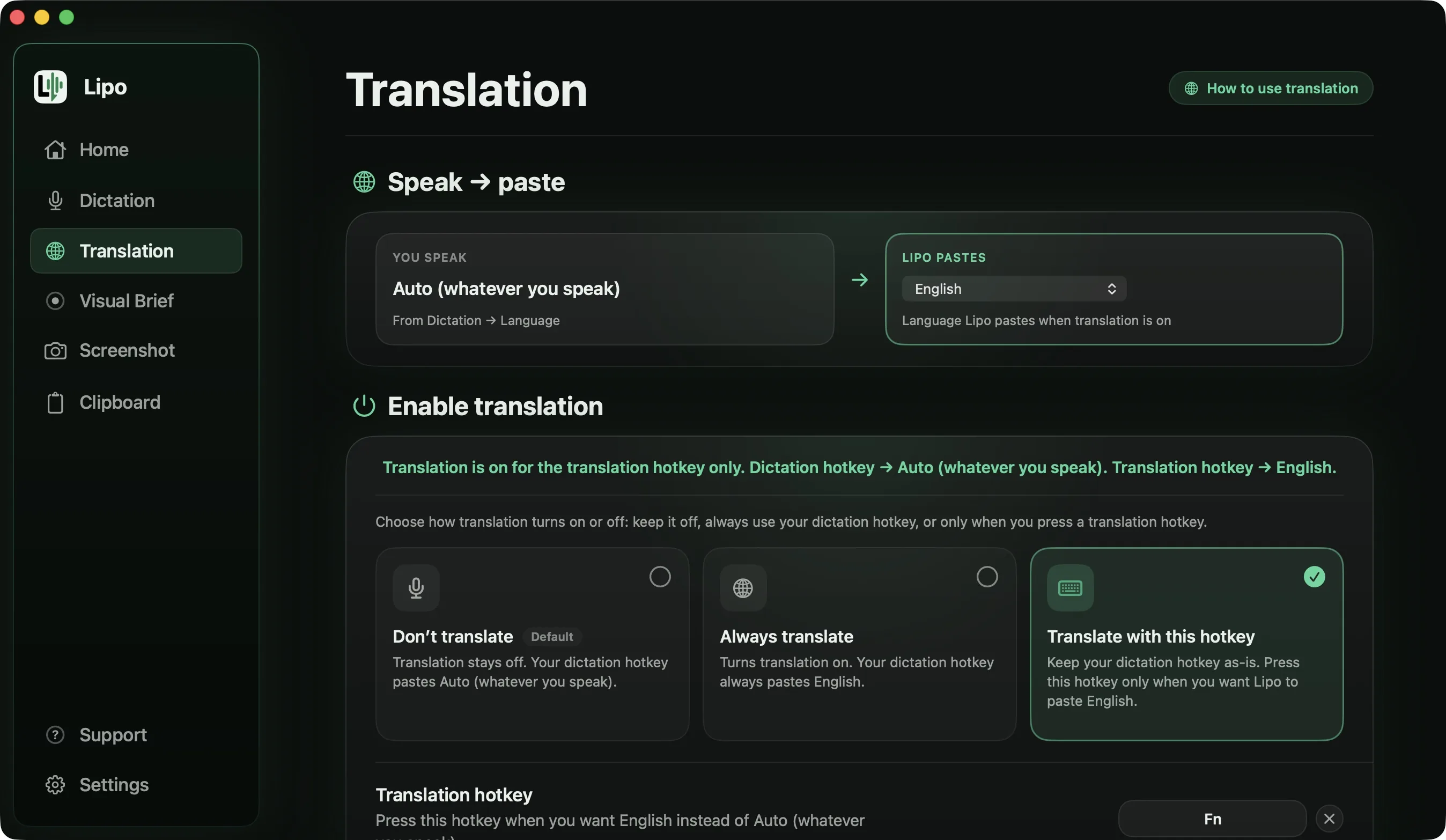
There is a second reason translation matters. Writing in a second language makes you sound like a smaller version of yourself. You know exactly what you want to say to a client. But the English you write is shorter, more direct and more generic than you are, because your effort goes into grammar instead of your message. When you speak in the language you think in and let Lipo translate it into English, your writing sounds like you again. The small details, the politeness and the jokes stay in. That is the real product.
Here are three messy examples, because real speech is messy. They are the three people above, each speaking the language they think in.
You say, in Bangla
"ভাই, ইয়ে... গত মাসের paymentটা এখনো আসে নাই। মানে milestone তো approve হইছে শুক্রবারে, না না বৃহস্পতিবারে। একটু check কইরা জানাইয়েন, আর invoice লাগলে আবার পাঠাই দিব।"
Lipo pastes, in English
Last month's payment has not come through yet. The milestone was approved on Thursday. Could you check and let me know? I can send the invoice again if you need it.
You say, in English
"hey so um I'm gonna be late tonight, they asked me to cover, to cover the evening shift. can you tell mom I'll call her tomorrow instead? and there's food in the fridge, the rice from yesterday."
Lipo pastes, in Spanish
Oye, voy a llegar tarde esta noche, me pidieron cubrir el turno de la tarde. ¿Le puedes decir a mamá que la llamo mañana? Hay comida en el refrigerador, el arroz de ayer.
You say, in Japanese
「えっと、このAPIなんですけど、レスポンスが遅いのは、その、キャッシュが効いてないからだと思うんですよね。一回目も二回目も同じくらい時間かかってて。キャッシュの設定、見てもらえますか。」
Lipo pastes, in English
I think this API is slow because the cache is not working. The first and second calls take about the same amount of time. Could you look at the cache configuration?
In the first one the correction was kept, so it says Thursday and not Friday, and the spoken forms "আসে নাই" and "কইরা জানাইয়েন", which are how you talk and not how you write to a client, came out as ordinary professional English. Translate the raw speech instead and you get a fluent English sentence that still says Friday. The second runs the other way, English into Spanish, because translation is not only a route out of your language. The third keeps "API" and "cache" in English inside a Japanese sentence, then writes the whole thing as English.
Translation is included in every plan, and voice typing without translation is unlimited. There is a 7-day free trial, and no credit card is needed. Plans and prices are on the pricing page.
How do voice typing apps differ from each other?
Wispr Flow, Willow Voice, Aqua Voice, superwhisper and Lipo are all voice typing apps, and all of them work well in English. If you only write in English, choose the one you like using. The differences appear as soon as you speak a language other than English, or want more than plain dictation. Three things separate them.
Accuracy outside English. Most apps list many languages, but a long list does not mean the app is good in every language on it. The apps say this themselves when you read closely. Wispr Flow's research page names seven languages it says are "trained and tuned to match English-level performance", French, German, Hindi, Italian, Portuguese, Spanish and Thai, and describes the rest as "dozens of other major languages" with accurate dictation, which is a different promise. None of these companies publishes per-language accuracy figures, and neither do we, so test your own language before you pay. Lipo puts the same accuracy work into all of its 50+ languages, so Bangla, Arabic and Hindi get the same attention as English.
Translation. With the other four apps you can dictate in Spanish and get Spanish. You cannot speak Spanish and get English text. superwhisper can translate into English only. Lipo translates between any two of its languages, in either direction.
Features beyond dictation. Lipo adds a screenshot button you can press while you are still dictating, Visual Brief for explaining a problem on your screen to an AI tool, and a clipboard history. The next section explains the first two. Lipo keeps adding features like these, and not every app offers this kind of flexibility.
For a detailed comparison, read the best dictation apps for non-English languages and the best dictation apps for South Asian languages.
What else does a voice typing app do now?
Voice typing apps are starting to do more than produce text. Here are two examples from Lipo, the app we know best.
The small dictation window that appears while you speak has a screenshot button. Click it while talking to capture what you are describing. When you release the shortcut key, Lipo pastes the text where you are writing and attaches the screenshot to the same message. "Look at this error" arrives with a picture of the error.
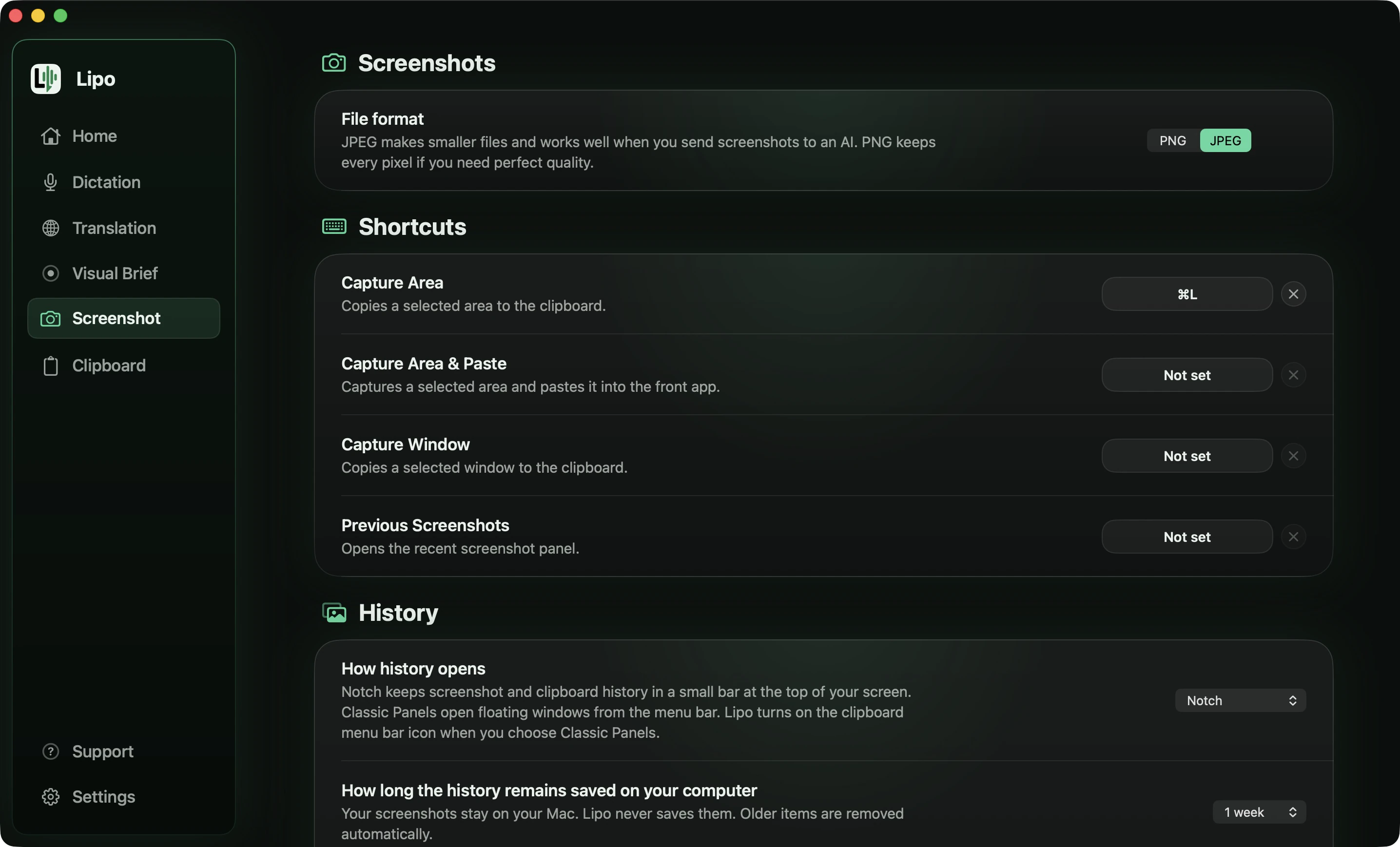
Visual Brief exists because AI tools like Claude, ChatGPT and Cursor only read text, and some things are easier to show than to explain. For example, a layout where one element is slightly out of place, or a bug you can repeat but cannot describe in words. With Visual Brief you record your screen and talk while you record, in any of the 50+ languages. Lipo transcribes what you said, looks at what was on the screen, and writes a clear, organized prompt (the instruction you give to an AI tool) in English or any other output language. You then paste that prompt into the AI tool. It works like a video prompt for tools that cannot watch video.
Does the terminology matter for non-English languages?
It matters more than most people expect, because the word a company uses tells you what technology you are getting.
When a tool advertises "dictation" for your language, this often means only that the speech to text model recognizes it. There is no cleanup, no punctuation, and no handling of sentences that mix two languages. Apple dictation supports Hindi, for example. But if you put an English word into a Hindi sentence, which every Hindi speaker does, the result is unpredictable. The word might be heard as English or replaced with a similar-sounding Hindi word.
A tool that calls itself "voice typing" and does AI cleanup can, in theory, handle that. Whether it does depends on how much the developer cared about your language. We wrote a separate post on which dictation apps actually work for Bangla, Hindi, Tamil and Urdu and another comparing the best dictation apps for non-English languages if you want the details.
Honestly, for English, most voice typing apps are good now, so choose by price and by which one you like using. For any other language, test the app before you pay, using a real sentence in your language with a person's name in it and an English word in the middle. Ten minutes of testing tells you more than any marketing page, including ours.
Frequently asked questions
Is voice typing the same as dictation?
Yes, in everyday use. Most people say “dictation” when they mean voice typing, and search engines treat the two words as close to the same thing. The technical difference is that dictation traditionally means you say the punctuation yourself, for example “comma” or “full stop”, while voice typing means the app adds the punctuation for you. Apple's built-in Mac dictation still works the older way. Most apps that call themselves voice typing, Lipo included, do the newer way.
What is the difference between dictation and transcription?
Dictation is live: you speak and the text goes where you are writing. Transcription turns an existing recording, such as a meeting or an interview, into text afterwards.
Is dictation faster than typing?
Usually. A 2016 Stanford study found speech three times faster than typing on an iPhone keyboard in English. The saving shrinks if you then have to fix the text by hand, which is what AI cleanup avoids.
Is voice to text the same as speech to text?
Yes. "Voice to text" and "speech to text" describe the same technology. "Voice to text" is the phrase people use when they search for an app. "Speech to text" is used more often for the technology itself and for developer services.
What is talk to text?
"Talk to text" is another informal name for voice typing, most common on phones. It means the same thing: you speak into any place where you can type, and written words appear.
Does Mac have voice typing built in?
Yes. Apple calls it Dictation. Turn it on under System Settings, Keyboard, Dictation. It supports a limited set of languages and works without an internet connection for many of them. In the bigger languages, English included, it adds commas, periods and question marks for you, and you can turn that off in Keyboard settings. It does not remove filler words or false starts, and it listens for one language at a time.
Which is more accurate, voice typing or dictation?
The recognition accuracy is the same if both use the same speech to text model. Voice typing apps add an AI cleanup step, so the finished text usually reads better, even when the first transcription is exactly the same.
Can voice typing translate what I say?
Most apps cannot. Lipo can. It transcribes in your language, cleans the text, then translates it into any of its 50+ supported languages, and pastes the result where you are writing. Apple dictation, Google Docs voice typing and Gboard do not translate.
Is voice typing private?
It depends on the app. Apple dictation processes many languages on your own computer, so nothing is sent over the internet. Cloud-based apps send your audio to a server. Lipo stores your history on your own computer and uses cloud servers for transcription and cleanup. The privacy policy explains exactly what is sent.
Keep reading
From the docs: Dictation basics · Translation