 Lipo
LipoHow to dictate in multiple languages on Mac (Hinglish, Banglish, Spanglish)
Apple's dictation can switch between languages, but only one at a time. Here is how to dictate when one sentence holds two languages, as Hinglish and Spanglish do.
You can dictate in more than one language on a Mac. Apple's dictation lets you add several languages and switch between them, but it listens to one at a time, so it cannot follow a sentence that mixes two. Most other apps work the same way. If you say "kal meeting hai", the English word is dropped or replaced with the Hindi word that sounds closest. Lipo, our voice dictation app for Mac, recognizes both languages in the sentence and then writes the result in the script of your main language, the way it would appear in print. You set your main language once and speak the way you normally do. Whether you call it voice typing or voice dictation, the problem is the same.
Linguists call this code-switching. It means mixing two languages in one sentence, for example Hindi with English words in it. We build Lipo, and this is the feature we care about most, because most of the people we built it for don't speak only one language at work.
How do you switch dictation languages on a Mac?
Apple's dictation can hold several languages, and you switch between them while you dictate.
- Open the Apple menu, choose System Settings, and click Keyboard.
- In the Dictation section, click Edit next to Languages.
- Tick each language you want, and choose a region for each one.
- While you dictate, press the Globe key, or click the language name shown next to your cursor, and pick the other language.
That works when each message is in one language: Spanish to your family, then English to a client. It does not work for one sentence with both languages in it, because Apple listens for the selected language only. English words inside a Hindi dictation are often heard as Hindi words. And some languages, Bangla among them, are not on Apple's list at all. Our Mac dictation guide lists the languages Apple supports.
Why do voice typing apps break on mixed languages?
The reason is that they were designed around a single setting called "language".
A speech to text model (the technology that turns spoken audio into written words) has to decide which sounds match which words. With one language, that is already a hard problem. If you tell it "the next sentence might be Hindi, might be English, and might switch four times," the number of possible answers becomes enormous. So most apps don't try. They take the language you set and interpret every sound as that language. When you say the English word "presentation" inside a Bangla sentence, the app looks for the closest Bangla word, and the result usually means nothing.
The models have improved. Newer multilingual models can recognize a language switch in the middle of a sentence, and the part of Lipo that turns speech into words does this. The step after recognition is still hard, and this is where most apps that claim "code-switching support" fail. How should the English word be written in Bengali or Devanagari script (the alphabets that Bangla and Hindi are written in)? Should "meetingটা" keep its Bangla suffix attached with no space? Is "ok" an English word, or has it become a Bangla word? These are questions about how people write, not about how the sounds are heard. A model only learns them if someone cared enough to teach it.
Which mixed languages does this apply to?
Any pair. These are some common examples:
- Hinglish (Hindi + English). "कल client के साथ meeting है।"
- Banglish (Bangla + English). "Presentationটা ready করে রাখো।" Notice the Bangla suffix attached to the English word.
- Spanglish (Spanish + English). "Mándame el report antes del lunch." It is common in Texas, California, Florida and Puerto Rico.
- Taglish (Tagalog + English). "Na-send mo na ba yung file?" This is normal office speech in the Philippines.
- Arabic + English. "الـ deadline يوم الخميس." Arabic runs right to left and the English word inside it runs left to right, so the app must also place the text cursor correctly.
- Other common pairs include Urdu + English, Tamil + English, Malay + English, French + Arabic in North Africa, and German + English in Berlin tech offices.
If you speak one of these, you already know what goes wrong. You dictate a sentence, the app writes the one English word wrong, and you fix it by hand. After three sentences you go back to typing.
How to dictate in two languages at once with Lipo
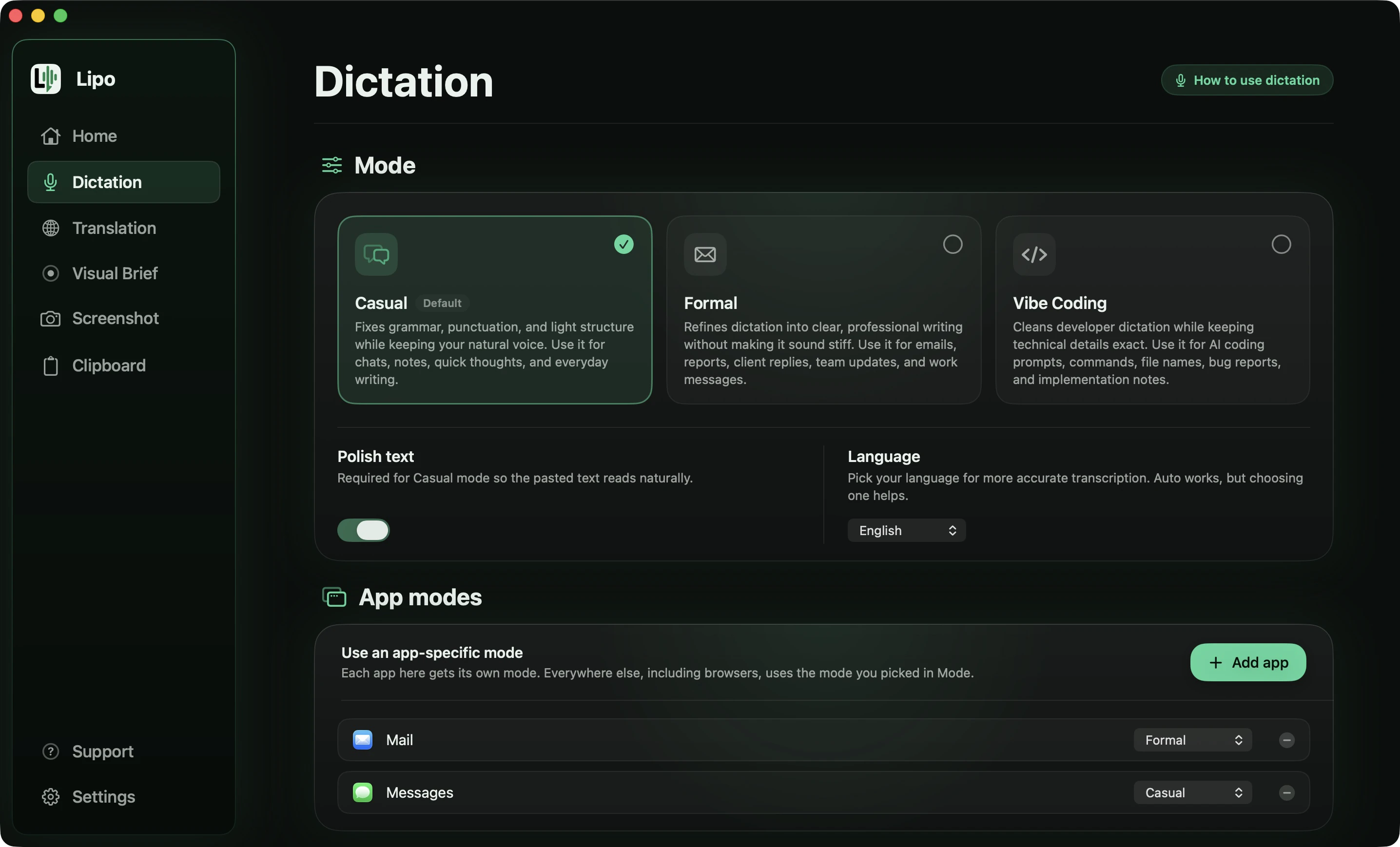
There's no special "bilingual mode" to turn on. You set your main language and speak.
- Install Lipo (macOS 15.2 or later) from uselipo.com. The 7-day trial is free, and no credit card is needed.
- Under Dictation, then Language, pick the language you speak most of the sentence in. Hindi for Hinglish, Bangla for Banglish, Spanish for Spanglish. This tells Lipo which script to write in and which language's grammar to follow.
- Click into any text field (any place where you can type) and hold the right Option key, the default shortcut key.
- Speak the sentence exactly as you would say it to a coworker. Don't slow down for the English words or switch to an American accent. The model expects a Hindi-accented "meeting" inside a Hindi sentence.
- Let go of the key. Lipo pastes the sentence in Devanagari, English words included, after removing the filler words (words like "um" and "uh" that people say while thinking).
You say
"हाँ तो, कल client के साथ meeting है, presentation... मतलब deck ready रखना। Slides में जो pricing वाली slide है ना, वो update करना, पुराना number मत रखना। और Rohit को भी loop में रखना, वो ही call attend करेगा।"
Lipo pastes
कल क्लाइंट के साथ मीटिंग है, डेक रेडी रखना। स्लाइड्स में जो प्राइसिंग वाली स्लाइड है, वो अपडेट करना, पुराना नंबर मत रखना। और रोहित को भी लूप में रखना, वो ही कॉल अटेंड करेगा।
The English words are recognised as English first, then written in Devanagari the way Hindi print does it: मीटिंग, क्लाइंट, डेक. "presentation... मतलब deck" was a change of mind out loud, and only the second choice survives.
You say
"Oye, mándame el report antes del lunch, eh, que tengo call con el cliente a la una y media. Y sube el file al drive, al folder de septiembre, no al de agosto. Ah, y el meeting de mañana se movió, se movió para las tres."
Lipo pastes
Oye, mándame el report antes del lunch, que tengo call con el cliente a la 1:30. Y sube el file al Drive, al folder de septiembre, no al de agosto. Ah, y el meeting de mañana se movió para las 3.
The Spanglish sentence stayed Spanglish. Spanish and English share an alphabet, so there is nothing to transliterate. The only job is not "correcting" report and lunch into Spanish words, and keeping the accents where they belong.
You say
"কালকে ওই meetingটা আছে না, ওইটার জন্য slideগুলা, ইয়ে, slideগুলা ready করে রাখিস। আর budget এর numberগুলা update করে দিস, পুরানটা না।"
Lipo pastes
কালকে ওই মিটিংটার জন্য স্লাইডগুলা রেডি করে রাখিস। আর বাজেটের নাম্বারগুলা আপডেট করে দিস, পুরানটা না।
Same rule as Hinglish, different script: মিটিং, স্লাইড, বাজেট, আপডেট. The Bangla suffix stays glued to the English word, so it is স্লাইডগুলা as one word and not two.
You say
"Uy, yung file na sinend mo kanina, yung, yung latest version ba yun? Kasi parang luma pa rin yung numbers. Pa-check mo nga ulit, tapos i-send mo sa akin bago mag-lunch."
Lipo pastes
Uy, yung file na sinend mo kanina, yung latest version ba yun? Kasi parang luma pa rin yung numbers. Pa-check mo nga ulit, tapos i-send mo sa akin bago mag-lunch.
Tagalog and English share an alphabet too, so nothing is transliterated. The work here is leaving the Tagalog verb prefixes attached to the English words, pa-check and i-send, instead of splitting or "fixing" them.
Which script does the English word end up in?
The English word is written in the script of your dictation language. Lipo's rule is to write the sentence the way it would be printed.
For Hindi, Bangla, Urdu, Tamil and Arabic, Lipo first recognizes the English words as English, then writes them in the native script: मीटिंग, ক্লায়েন্ট, ڈیڈ لائن, ரிப்போர்ட், ديدلاين. This is transliteration: writing a word from one language in the letters of another. The sentence stays in one script and reads the way a newspaper or a formal email in that language reads. The transliteration itself is not the important part, because Apple's dictation transliterates too. The important part is that Lipo heard the word correctly as "client" first, so you get ক্লায়েন্ট and not a Bangla word that sounds similar.
If you want to keep a word in English letters, for example a product name, a technical term or a brand, add it to the custom dictionary spelled the way you want it. Lipo will then keep that spelling in every language.
For Spanish, French, German, Tagalog and other languages written in the Latin alphabet, there is no script question. The cleanup step (the second step that removes filler words, adds punctuation and fixes grammar) only has to get two things right: leave your English words as English instead of "correcting" them into the nearest Spanish word, and keep the accents where they belong.
Suffixes are the hardest case. Bangla and Hindi attach their suffixes directly to English words, so you get "presentationটা," "meetingवाला," "clientদের." Lipo writes those as one word, প্রেজেন্টেশনটা, with no space.
Can I translate a mixed sentence?
Yes, and this is where mixed-language dictation becomes very useful.
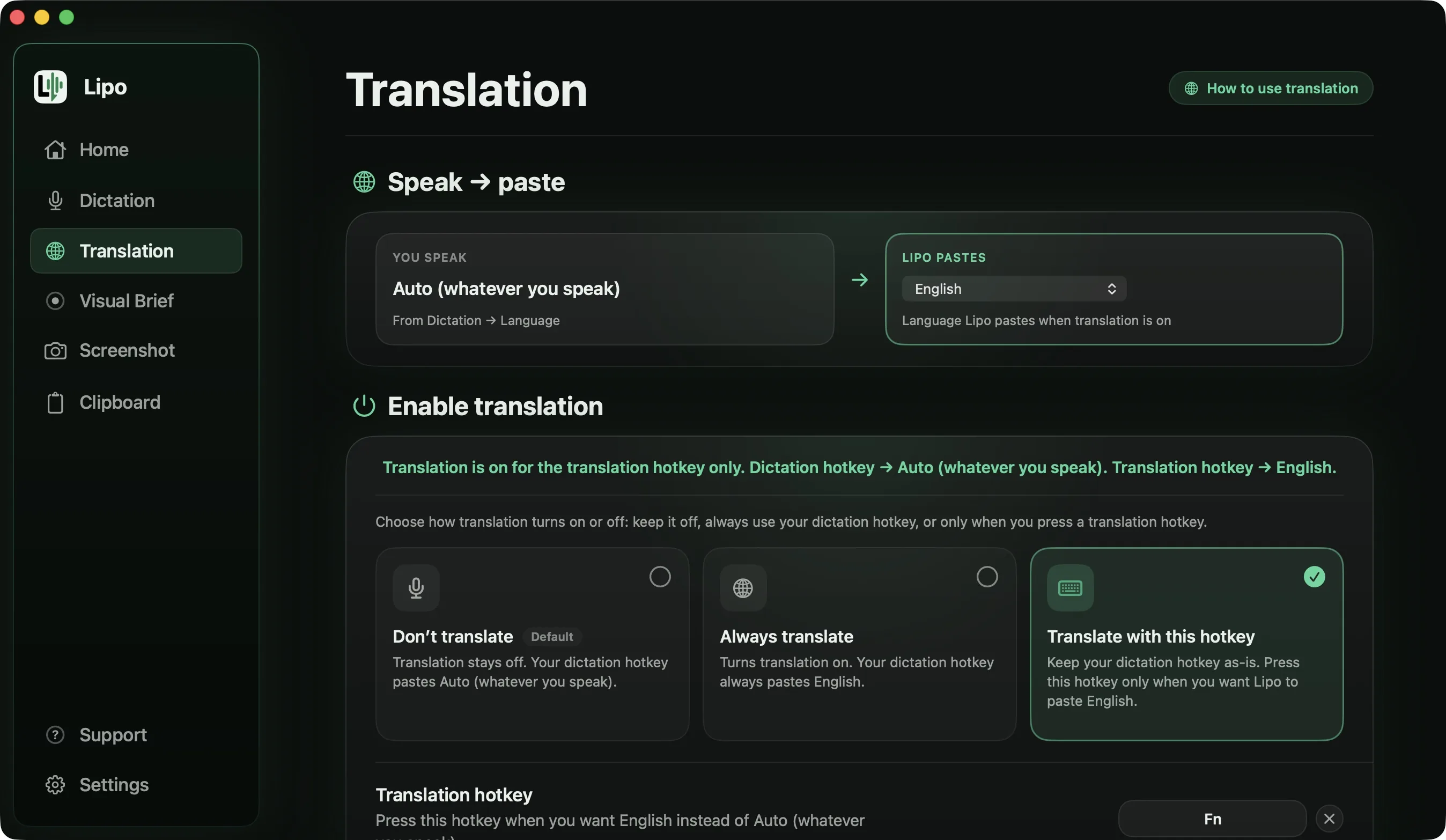
Turn on translation in Lipo's Translation tab, set the output language to English, and dictate your Hinglish or Banglish as usual. Lipo writes down the mix, cleans it, then translates the cleaned sentence into plain English. The English words you said are already English, so Lipo keeps them. It translates the Hindi or Bangla parts around them.
You say (Banglish, messy)
"কালকে client এর সাথে meeting আছে, না না পরশু, আর ওই presentationটা... presentationটা ready করে রাখিস, boss দেখতে চাইসে। আর budget এর slideটা বাদ দিস, ওটা এখনো final হয় নাই।"
Lipo pastes (output language set to English)
The client meeting is the day after tomorrow. Please have the presentation ready, the boss wants to see it. Leave out the budget slide, it is not final yet.
The correction "কালকে, না না পরশু" became "the day after tomorrow." The spoken form "চাইসে" was understood as "wants." Nothing was translated word by word. Lipo understood the whole sentence first, then wrote it in English.
For many bilingual people this is the most important feature. In the language you grew up with, you can be precise, funny and polite. In your second language, you often sound plain and simple. With Lipo you speak the mix you actually think in, and the English keeps your tone.
A separate translation shortcut key works well here: one key gives you Banglish for the family group chat, and another gives you English for the client. Our guide to how to dictate in one language and type in another explains the setup. Translation is included in every plan. Plans and prices are on the pricing page.
Which other dictation apps handle mixed languages?
Most apps have auto-detect, which means the app guesses which language you are speaking. Auto-detect is not the same as handling a mixed sentence, and the companies' own documentation shows the difference. Wispr Flow's help centre says: "Flow detects one language per dictation, not per word." That works if you speak Spanish in one message and English in the next. It does not work for "mándame el report antes del lunch." Wispr has been testing a Hinglish voice model since early 2026, according to TechCrunch, which may change this for Hindi speakers; it has not said which script that model writes.
Willow Voice's changelog says it switches languages mid-sentence, but it does not say which script the English word is written in, which is the question that matters for Hindi or Bangla. Aqua Voice and superwhisper do not document it. For translation, Lipo translates the mixed sentence into any of its 50+ languages, superwhisper translates into English only, and the others do not translate what you dictate. Our comparison of dictation apps for non-English languages has the full table.
On a phone, Gboard supports Hindi and Bangla voice typing, which is why many people already write mixed-language messages by talking into their phone. Lipo is our way to do the same on a computer.
Tips that make a real difference
Speak in whole sentences. The cleanup step uses the whole sentence to decide which words belong to which language. Two-word pieces give it very little to work with.
You don't need to mark the switch. You don't need to pause before an English word or pronounce it differently. Talk normally.
Add names to the dictionary first. Personal names are a common source of errors in every language. In a mixed sentence, a name can be written in the other script in a way you would never write it. Five minutes in the dictionary fixes most of this.
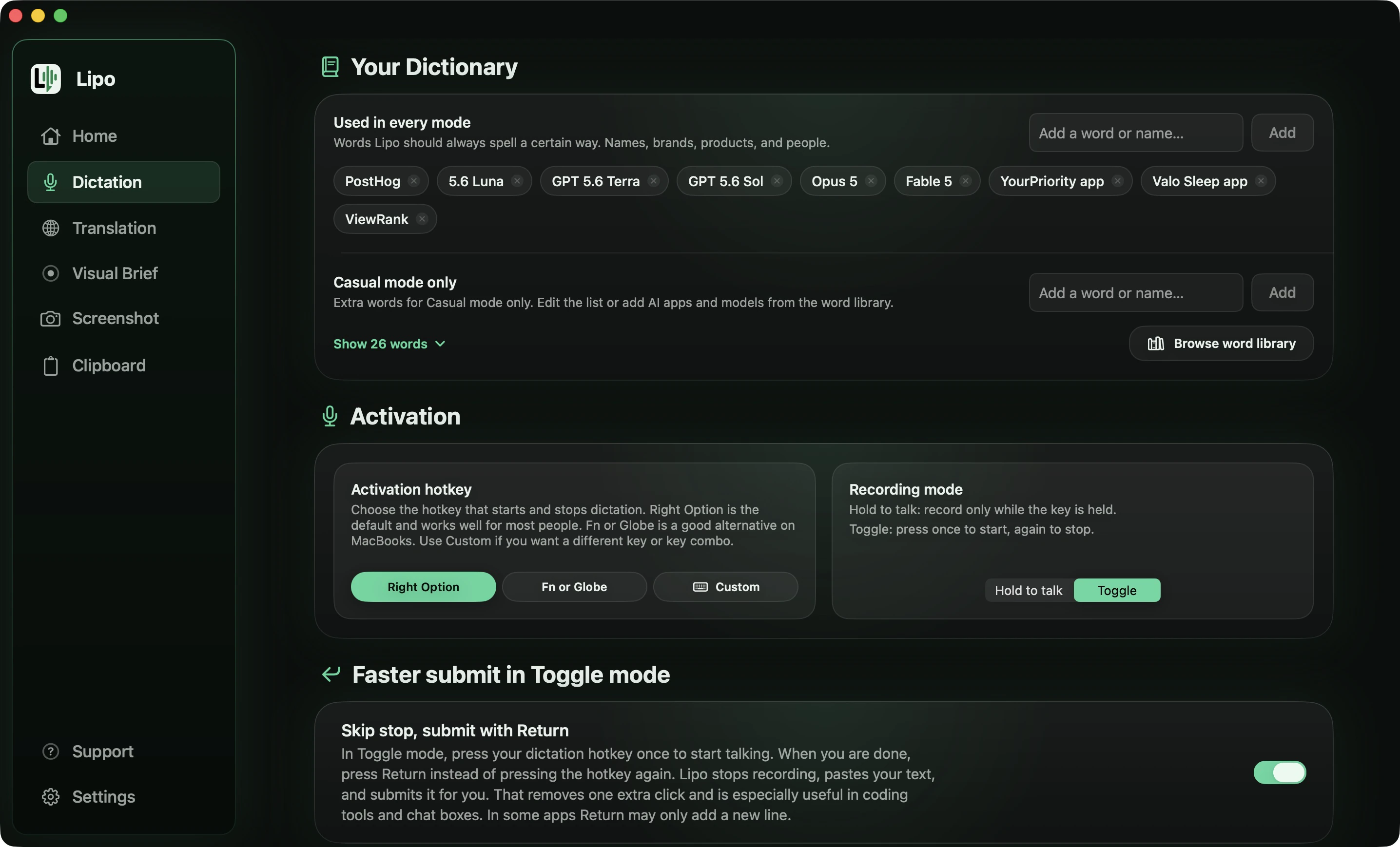
Use the built-in microphone or a wired headset rather than AirPods. Compressed audio loses the fine consonant detail that helps the model tell a Bangla word from a similar English word.
If a sentence comes out wrong in the same way every time, send it to us. Real mixed-language sentences from real users are exactly what improves this.
Frequently asked questions
How do I switch dictation languages on a Mac?
Open System Settings, click Keyboard, and click Edit next to Languages in the Dictation section. Tick each language you want. While you dictate, press the Globe key or click the language name next to your cursor to switch.
Can voice typing handle two languages in one sentence?
Only some apps can. Apple dictation works in one language at a time. Lipo recognizes mixed sentences (Hinglish, Banglish, Spanglish, Taglish and others) and writes them in the script of your main language, the way they would appear in print.
How do I voice type Hinglish on a Mac?
Set Lipo's dictation language to Hindi and speak normally. The sentence comes out in Devanagari, with the English words recognized and written in Devanagari letters (मीटिंग, क्लाइंट), and the filler words removed.
How do I voice type Banglish on a Mac?
Set Lipo's dictation language to Bangla. English words like "meeting" or "client" are recognized and written in Bengali script (মিটিং, ক্লায়েন্ট), and Bangla suffixes are attached to them as one word. Apple dictation doesn't support Bangla at all.
Does Spanglish voice typing work?
Yes. Set Spanish as the dictation language and speak. Lipo keeps English words as English instead of changing them to the nearest Spanish word, and it keeps the Spanish accents.
Do I need to switch languages in settings each time?
No. Pick the language you speak for most of the sentence and leave it. Lipo recognizes the switches within the sentence.
Can I translate a Hinglish or Banglish sentence into English?
Yes. Turn on translation with English as the output. Lipo cleans the mixed sentence first, then translates it, so the English reads naturally. Translation is included in every plan.
Does Apple dictation support code-switching?
No. It listens in one language at a time, and English words inside a Hindi or Spanish sentence are often heard as the wrong word.
Keep reading
From the docs: Dictation basics · Translation