Voice dictation that finally understands your language.

Dictation & cleanup

বাংলা · detected 0:04
You said

হাই টিম তৃতীয় প্রান্তের রিপোর্ট নিয়ে চেক ইন করতে চেয়েছিলাম মনে হয় নম্বর গুলো ঠিক করতে একদিন বেশি লাগবে কেউ কি সেলস শিট রিভিউ করতে পারবে

Corrected your mistakes time: 0.9s
Corrected

হাই টিম, তৃতীয় প্রান্তের রিপোর্ট নিয়ে চেক ইন করতে চেয়েছিলাম। মনে হয় নম্বরগুলো ঠিক করতে এক দিন বেশি লাগবে। কেউ কি সেলস শিটটি রিভিউ করতে পারবেন?

Translate to any language

العربية · detected 0:04
You said

لن أتمكن من حضور الاجتماع بعد ظهر اليوم. هل يمكنكم مشاركة الملاحظات معي؟ يمكنني مناقشتها هاتفياً لاحقاً.

Translate to any language time: 0.7s
Translated

I won't be able to join the meeting this afternoon. Could you please share the notes with me? I can discuss it over the phone later.

Most dictation apps struggle outside English. Lipo doesn't.
Speak your language, get clean text, and translate when you need.

See it work in your language

A quick walkthrough: dictate in your own language, get clean text back, and translate when you need to.

How it works

Speak naturally. Lipo cleans and pastes fast.

Works in any app you can type in. Hit your shortcut, say what you mean, and Lipo pastes clean text for you.

Click anywhere you can type

Put your cursor in Slack, email, docs, or a code editor. Anywhere macOS lets you type.

Hit your shortcut and speak

Press once to start, or hold if you prefer. Speak in Spanish, Bangla, French, or any of 50+ languages at your normal pace.

Stop. Lipo pastes

When you're done, stop recording. Lipo cleans up your words, translates them if translation is on, then pastes the finished text where your cursor is.

More than voice-to-text

Features that save you time. Accurate dictation is the start. These tools help you clean, translate, capture, and reuse what you said.

Fluent in your language

English is fast, accurate, and reliable on Lipo. We also put serious work into the languages most apps get wrong: accents, local names, and grammar that other tools miss.

Translate to 50+ languages

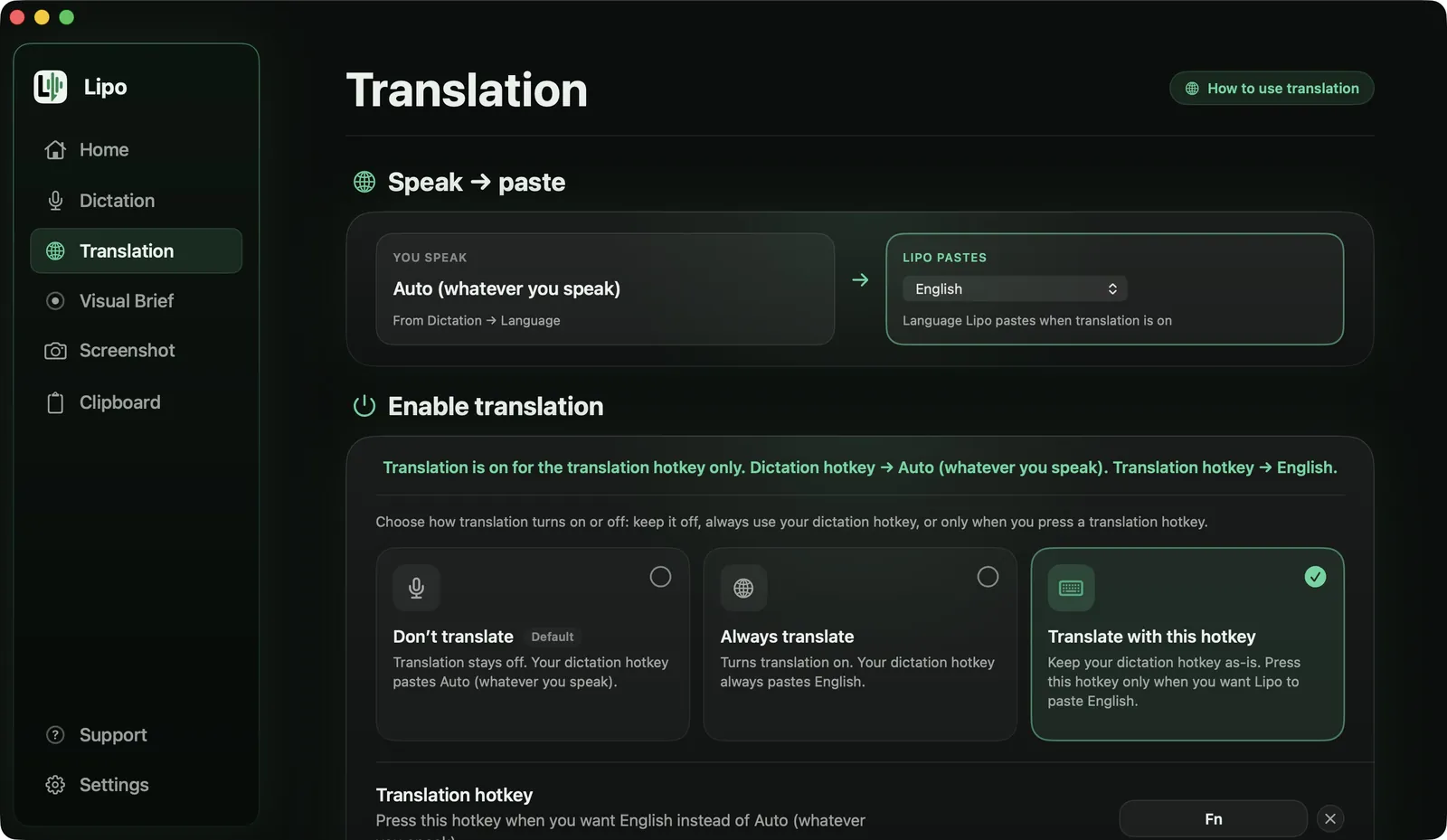
Say it in one language and get it back in another. Fast enough for messages, email, and everyday work when you need to switch languages on the spot.

Casual, Formal & Vibe Coding

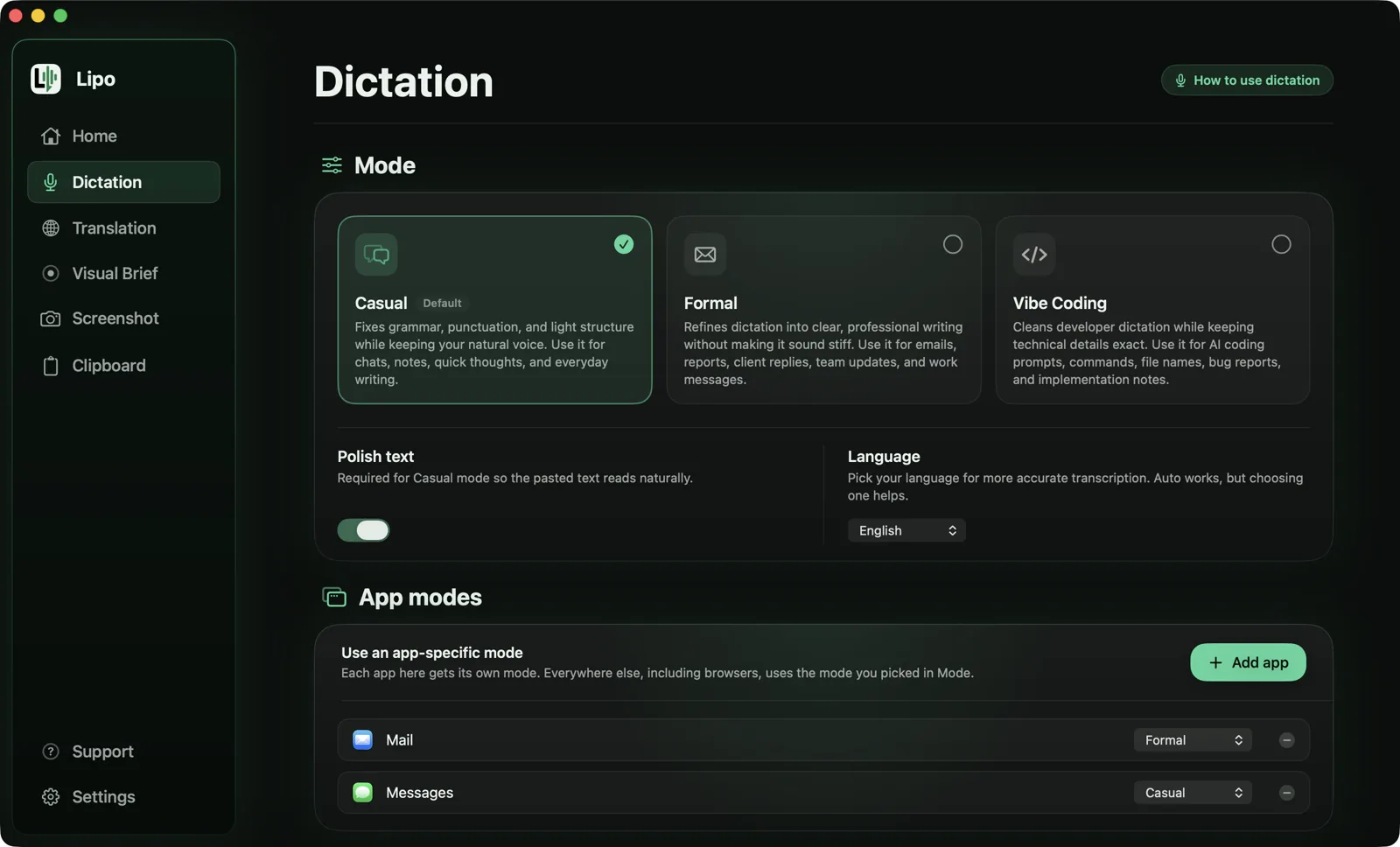
Pick how polished you want the text. Casual for everyday messages, Formal for professional writing, and Vibe Coding for code, file names, and technical terms.

Visual Brief Beta

Built for builders. Record your screen, explain what you need out loud, and Lipo turns the video into a clear, organized prompt for AI. Faster than typing it all out.

Screenshot and clipboard

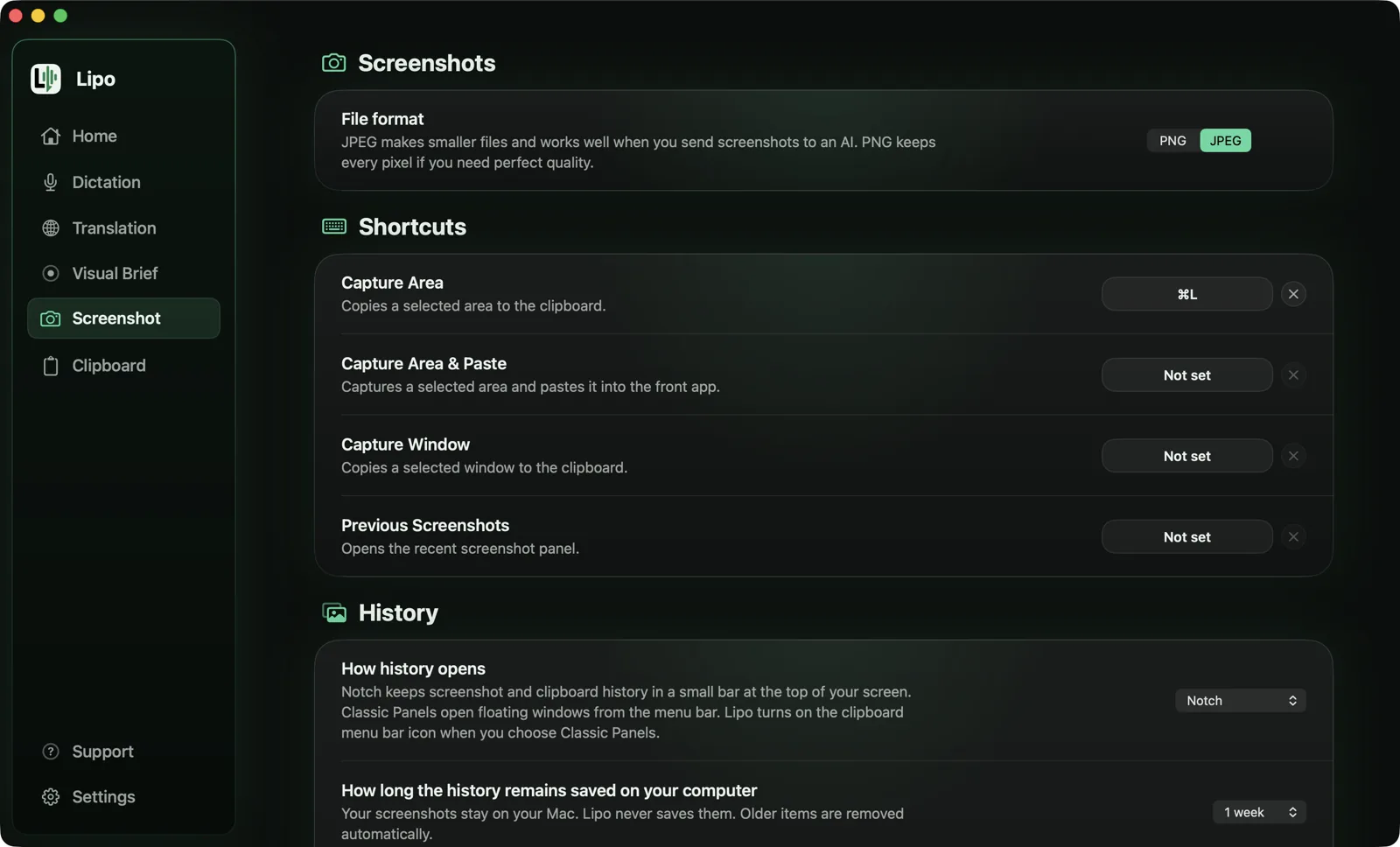
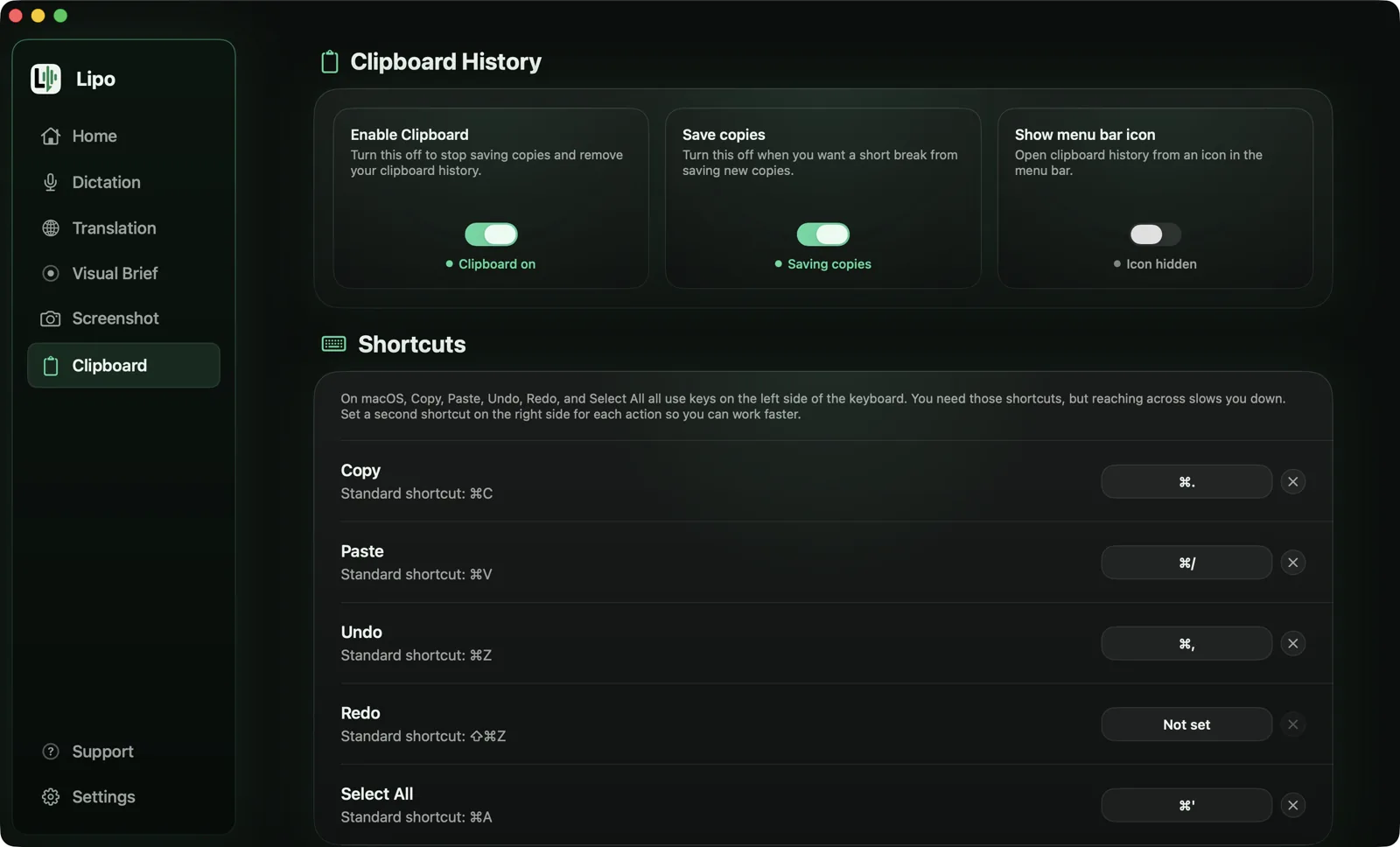
Capture screenshots and keep a log of what you've copied. Browse them from the MacBook notch, or from the menu bar and history panels, then click to paste again.

Screenshot editor

Snap a screenshot in Lipo, mark it up with arrows and highlights, then drop it into the field you're typing in. No saving files. No dragging around.

Custom dictionary

Teach Lipo the names, brands, and unusual words you use. Add them once, and Lipo is much less likely to mishear them the next time you speak.

Local-first privacy

History, screenshots, and clipboard stay on your Mac. Trusted partners handle transcription, polish, and AI prompts. That data is not kept after the job is done.

Pick the plan that fits

Simple monthly plans. Cancel whenever you want.

Pro Starter
$7.99/ month
  • Unlimited dictation
  • 50+ languages supported
  • Ultra fast speed (real-time)
  • 20,000 translated words / month
  • Screenshots and clipboard
  • 5 Visual Briefs / month Beta
Start Pro Starter

Manage billing anytime from Lipo Settings on your Mac

Common questions

Pro Starter includes unlimited dictation in 50+ languages, realtime speed, and 20,000 translated words per month.

Pro Plus is the same, plus unlimited translation and more Visual Briefs each month.

Lipo supports English and 50+ other languages. English is included on every plan and works with our best speed and accuracy. Pro Starter and Pro Plus unlock the full language list and translation.

Many dictation apps work fine in English but struggle in other languages. Names come out wrong, grammar breaks, and accents get ignored. Lipo was built to fix that. It understands more than 50 languages and writes the text the way you really speak.

English is fully supported too, with the same speed and accuracy. You can dictate in English, in your own language, or switch between both.

Yes. Your dictation history, screenshots, clipboard, and recordings stay on your Mac, and can be deleted automatically after a time you choose.

When you use dictation, cleanup, or Visual Brief, only what is needed is sent to trusted partners to complete that request. Lipo and those partners do not sell your content or use it to train AI models.

Microphone so Lipo can hear what you say when you dictate.

Accessibility so Lipo can paste your finished text into the app you are typing in.

Screen Recording (optional) so Lipo can take screenshots and run Visual Brief when you ask. Lipo does not watch your screen in the background. It only uses screen access when you capture or record.

Your language deserves dictation that works.

Speak the way you think. Get polished text back in the blink of an eye.
Translate when you need to. Write faster in every app on your Mac.

Get started with Lipo

Requires macOS 15.2 or later