 Lipo
LipoArabic voice typing on Mac: tashkeel, hamza and right-to-left text
Arabic runs right to left, typed Arabic leaves out most vowel marks, and English words appear in the middle of your sentences. Here is how to voice type Arabic on a Mac, with Apple's free dictation or with Lipo.
Yes. You can voice type in Arabic on a Mac with Apple's built-in dictation, which is free and includes Arabic for Saudi Arabia and the United Arab Emirates. It has three limits. It does not add punctuation in Arabic, it keeps your filler words and false starts (words you begin, stop, and say again), and it listens for one language at a time, so an English word inside an Arabic sentence often comes out wrong. Lipo is our app for those gaps. You hold a key, speak Arabic, and Lipo pastes clean Arabic script where your cursor is, or English if you turn on translation. Arabic voice typing is also called Arabic voice dictation, and this guide uses both names.
If you would rather read about Lipo in Arabic, see Lipo بالعربية.
How do you turn on Arabic dictation on a Mac?
Apple's dictation is free, and setting it up takes about a minute.
- Open the Apple menu, choose System Settings, and click Keyboard.
- Turn on Dictation.
- Click Edit next to Languages, tick Arabic, and choose Saudi Arabia or the United Arab Emirates.
- Click into any text box, press the dictation shortcut, and speak. If your keyboard has a microphone key, that key is the shortcut. If it does not, choose a shortcut in the same Keyboard settings.
Arabic is on Apple's list of languages that dictation processes on your Mac. The speech model for the language downloads once, the first time you use it.
Apple does not add punctuation in Arabic, so you say each mark. You say "فاصلة" and get a comma. If you also added English, press the Globe key while you dictate to switch between the two. Apple still listens for one language at a time, so it cannot follow a sentence that mixes them.
Why is Arabic voice typing hard?
Arabic has one standard written form and many regional spoken forms. It also runs from right to left, while most other text on your screen runs from left to right.
Start with what people actually say. Almost nobody speaks Modern Standard Arabic (فصحى) in an office. Depending on where they grew up, people say "عايز", "أبغى", "بدي" or "بغيت" for "I want". A speech to text model (the technology that turns spoken audio into written words) is often trained on news broadcasts, so it often writes the wrong word for these.
Tashkeel are the small marks above and below letters that show short vowels. Typed Arabic almost never carries them, and readers add the vowels from context. Lipo leaves out tashkeel by default, like normal typed Arabic.
Spelling is hard for people too. Hamza placement (أ, إ, آ, ء, ؤ, ئ) follows rules that many native speakers do not fully remember. People also mix up taa marbuta (ة) and haa (ه), so "مدرسه" for "مدرسة" is common online. Lipo's cleanup step reads the whole sentence and writes the standard spelling.
Right-to-left text is the last problem. Arabic runs right to left, but "Q3" or an email address inside the sentence runs left to right. Each app handles this mix differently. In Notes and Mail, the cursor (the blinking line that shows where text will go) can jump to the wrong end of the English word when you edit.
Many people avoid all of this with Arabizi. Arabizi is Arabic written in Latin letters, with numbers for the sounds English lacks: 3 for ع, 7 for ح, 2 for hamza. It is fine in a chat, but not in an email to a client or a ministry. Voice typing gives you proper Arabic script without a slow Arabic keyboard.
How to voice type in Arabic with Lipo
You do not need the Arabic keyboard layout. Install Lipo (it needs macOS 15.2 or later), choose Arabic under Dictation, then Language, and allow the microphone and accessibility permissions when Lipo asks. The getting started guide shows each screen.
Then click into any text field, hold the right Option key, speak, and let go. Lipo listens while you hold the key. When you release it, Lipo transcribes your Arabic, removes filler words such as "يعني", adds punctuation, and pastes the finished text where your cursor is. Nothing appears letter by letter while you talk.
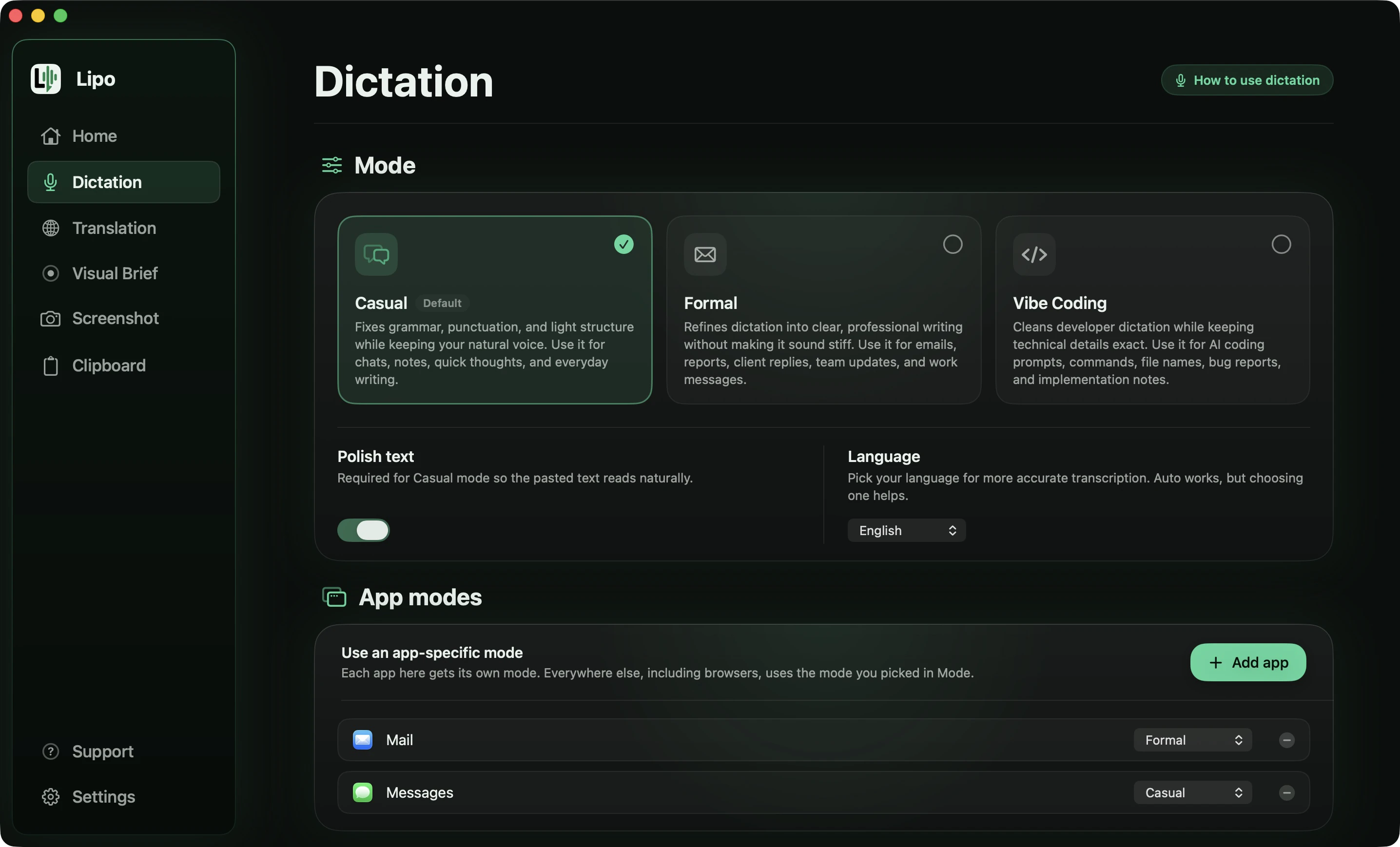
Below is a message to a colleague about a delivery. It has six problems that real speech always has.
You say
"يعني... بص، الأوردر، الأوردر اللي جاي هيوصل الخميس، لا لا، الجمعة، عشان المخزن هيقفل بدري. فيه خمسميت قطعة تقريبًا، والفاتورة طلعت اتناشر ألف جنيه مش عشر آلاف. كلم المورد يأكد الميعاد. ولو اتأخر، بلغني على طول لو سمحت."
Lipo pastes
بص، الأوردر اللي جاي هيوصل الجمعة مش الخميس، عشان المخزن هيقفل بدري. فيه 500 قطعة تقريبًا، والفاتورة طلعت 12,000 جنيه مش 10,000. كلم المورد يأكد الميعاد، ولو اتأخر بلغني على طول لو سمحت.
Six things happened there:
- The correction was kept. You said Thursday, stopped yourself, and said Friday. The message says Friday.
- The stutter is gone. "الأوردر، الأوردر" is written once.
- Filler is gone. "يعني" does not appear.
- Numbers are written as digits. "خمسميت" became 500 and "اتناشر ألف" became 12,000. Lipo never changes the value of a number, only the way it is written.
- Two half sentences became one. You paused after "يأكد الميعاد" and started again. Lipo joined them, because they were clearly one thought.
- Your everyday words stayed. "بص", "عشان", "بدري" and "على طول" are still there, and the English word "order" is written in Arabic letters as الأوردر. Casual mode fixes the writing, not the way you talk.
Does Lipo write فصحى or the Arabic you speak?
It depends on the mode you choose. A WhatsApp message to your brother should sound like you, and a cover letter for a job in Doha should be in فصحى. In Casual mode, Lipo fixes spelling and punctuation and leaves your everyday words alone. In Formal mode, Lipo rewrites the text in a professional style, which for Arabic means فصحى. You say "عايز أعمل ميتينج بكرة", and Lipo writes أود عقد اجتماع غداً. Pin Formal to Mail and Casual to WhatsApp Desktop, and the same key gives you the right level of formality in each app.
Lipo works best with Modern Standard Arabic. A regional accent usually works too, but strong dialect words may not always come out exactly as you said them. If a sentence comes out wrong, tell us.
Lipo does not change how Notes or Slack handle right-to-left text, but it avoids most of the problem. It pastes the whole sentence at once as finished text. Words in Latin letters, such as a product name or "Q3", sit in the right place inside the Arabic, and the punctuation stays on the Arabic side. When you dictate complete sentences, you rarely need to edit in the middle of one.
How to speak Arabic and get English text
Many Arabic speakers write English all day, to a head office, a client or a professor. You think the sentence in Arabic, translate it in your head, and then type English. Lipo removes the middle step.
In the Translation tab, set "Lipo pastes" to English. You can translate everything you dictate, or keep your usual key for Arabic and add a second key that gives English. Lipo cleans up your Arabic before it translates, because a sentence full of يعني turns into English that sounds smooth and says very little.
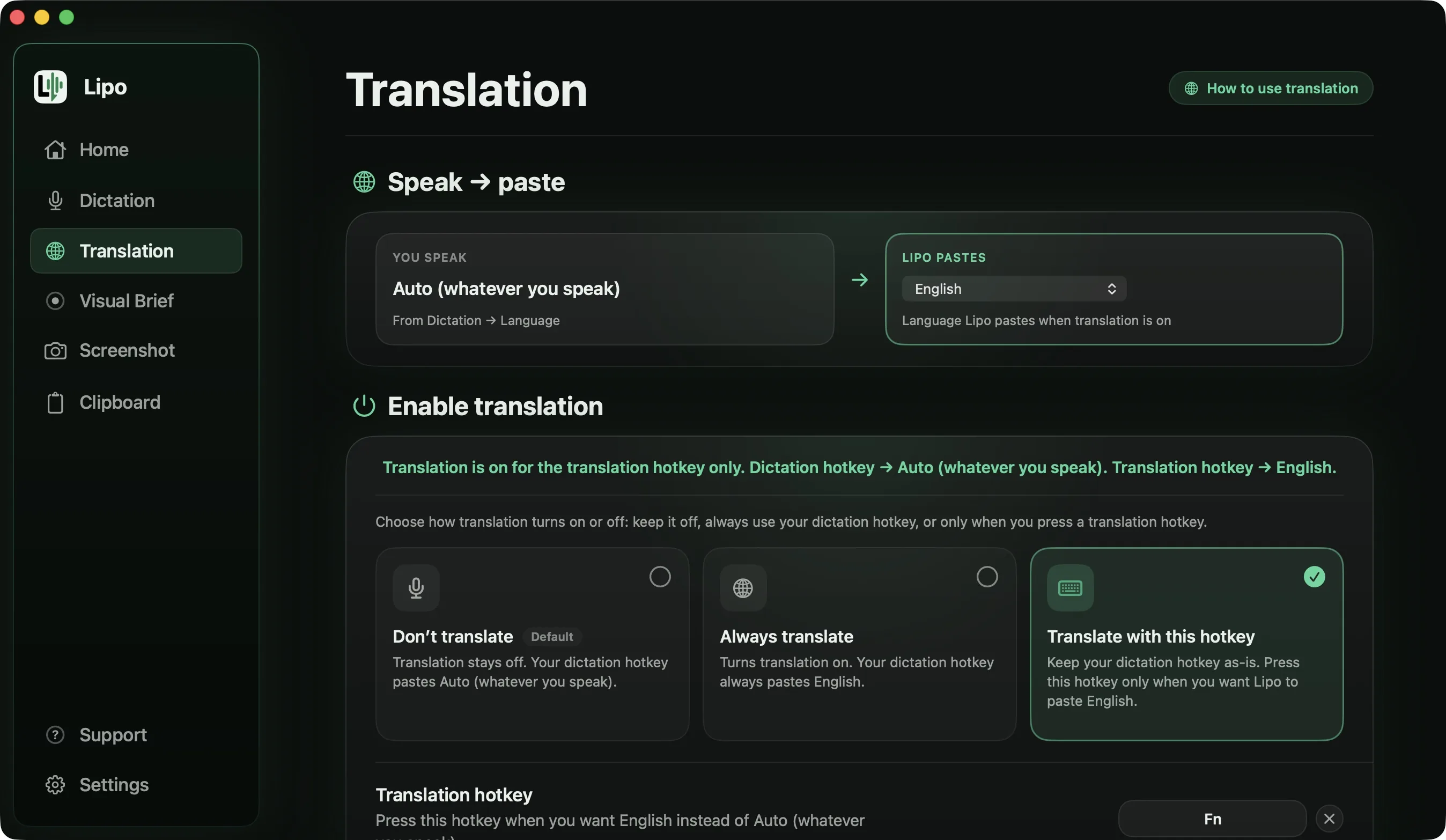
Here is a longer message, spoken the way people really speak one.
You say (Formal mode, output language set to English)
"هلا أستاذ خالد، بخصوص زيارة الموقع بكرة. إحنا، إحنا جاهزين بس محتاجين تصاريح الدخول، وسيارة من البوابة الشمالية، وواحد من الأمن يستقبل الفريق. الفريق اتناشر شخص، مو ثمانية زي ما قلت لك أمس. ولو ما ضبط بكرة، نأجلها للأحد عادي."
Lipo pastes
Hello Khalid,
Regarding tomorrow's site visit, we are ready, but we need the following:
- Entry permits
- A vehicle from the north gate
- Someone from security to receive the team
The team is 12 people, not 8, as I told you yesterday. If tomorrow does not work, we can move it to Sunday.
The email opens with "Hello Khalid" because you greeted him, and it ends where you stopped talking. Lipo never adds a greeting, a subject line or a sign-off that you did not say. The three things you needed became a list, although you never said the word "list". The correction was kept as 12, not 8, and "إحنا، إحنا" was written once. The everyday words "عادي" and "ما ضبط" have no exact English match, so their meaning came across instead of the words.
Those dashes are typed characters, not formatting, so the list looks the same in Outlook, Slack or a plain text box. Every translation setting is in the translation docs, and translation is included in every plan.
Names are where every speech model slips. If you write "Mohammed" and not "Muhammad", add that spelling to the dictionary, and Lipo uses it in Arabic, in English and after translation. The same list keeps a product name such as "Figma" in Latin letters.
Which other dictation apps can write Arabic?
Most of the well-known ones can. Wispr Flow names Arabic, but in its second group, not among the seven languages it calls "trained and tuned to match English-level performance". Aqua Voice puts Arabic on its published list of 49. Willow Voice claims more than 100 languages without listing them, and superwhisper's Arabic depends on which speech model you pick.
What differs is the sentence "الميتينج مع الـ client بكرة". Wispr Flow's help centre says each recording is written in one language. Willow Voice says it can switch language mid-sentence but not how it writes the English word, and Aqua Voice and superwhisper do not mention it. Lipo hears both languages and writes the whole sentence in Arabic script. Translation is the other gap: Lipo works between any two of its 50+ languages, superwhisper only into English, and the rest not at all. The comparison of dictation apps for non-English languages puts all of this in one table.
Tips for better Arabic dictation
Speak in full sentences. Lipo picks between مدرسة and مدرسه by reading the whole sentence, so a single word gives it nothing to work with.
Pick Arabic as the language rather than automatic detection when your sentences carry English words.
Correct yourself out loud ("الاثنين، لا، الثلاثاء") and Lipo keeps only the second day.
A wired headset or the Mac's own microphone beats wireless earbuds, which compress the sound. The emphatic consonants ص, ض, ط and ظ suffer first.
Frequently asked questions
Can I voice type in Arabic on a Mac?
Yes. Apple's built-in dictation includes Arabic for Saudi Arabia and the United Arab Emirates, and it is free. Apps like Lipo add punctuation, filler removal, English words inside Arabic sentences, and translation.
How do I turn on Arabic dictation on a Mac?
In System Settings, go to Keyboard and switch on Dictation. Under Languages, click Edit and tick Arabic for Saudi Arabia or the United Arab Emirates. Press the dictation shortcut in any text box to start.
Does Apple dictation add punctuation in Arabic?
No. Apple lists automatic punctuation for English, Spanish, French, German, Japanese and some other languages, but not for Arabic. You say each mark, for example "فاصلة" for a comma.
Does Lipo understand spoken Arabic, not only فصحى?
Lipo works best with Modern Standard Arabic. A regional accent usually works too, but strong dialect words may not always come out exactly as you said them. Casual mode keeps your everyday words, and Formal mode writes فصحى.
Does Lipo add tashkeel?
No, not by default. Lipo writes Arabic the way typed Arabic is written, without short vowel marks. You can add specific words with tashkeel to the dictionary if you need them.
Can I mix Arabic and English in one sentence?
Yes. Lipo recognizes both and writes English loanwords in Arabic script (ميتينغ, كلاينت, ديدلاين), the way they appear in print. Add a word to the dictionary to keep it in Latin letters.
Can I speak Arabic and get English text?
Yes. Set "Lipo pastes" to English in the Translation tab. Lipo transcribes your Arabic, cleans it up, translates it, and then pastes it. Translation is included in every plan.
Does Lipo fix the right-to-left cursor problem in Mail and Slack?
Lipo avoids it. It pastes the finished sentence at once, with English words in the right place inside the Arabic, so you rarely need to edit in the middle of a sentence.
What is Arabizi, and do I still need it?
Arabizi is Arabic written in Latin letters and numbers (3 for ع, 7 for ح). With voice typing you speak Arabic and get Arabic script, so you do not need it.
Keep reading
From the docs: Dictation modes · Translation